Skip to content
Construction AI Tools

The best AI construction software

AI construction software sorted by job: takeoff, PM platforms, spec search, contract review, progress capture, scheduling and a general chat assistant.

UpdatedNov 21, 2026
Prices readOct 25, 2026
Tools compared9
Published prices3 of 9

Which one should you buy?

If your projects already run in Procore or Autodesk Forma, start with the AI built into it, because that's where your drawings, RFIs and submittals already live: Procore AI or Autodesk Forma. Estimators who bid off plans should look at Togal, which measures the drawings itself at $299 per user a month, billed yearly. Small subs and remodelers without a platform can start with ChatGPT Business at $20 a seat a month on an annual plan, and larger jobs with a BIM model are where Buildots and ALICE earn their quote.

The picks

01

Procore AI

GCs whose RFIs, submittals and specs already live in Procore

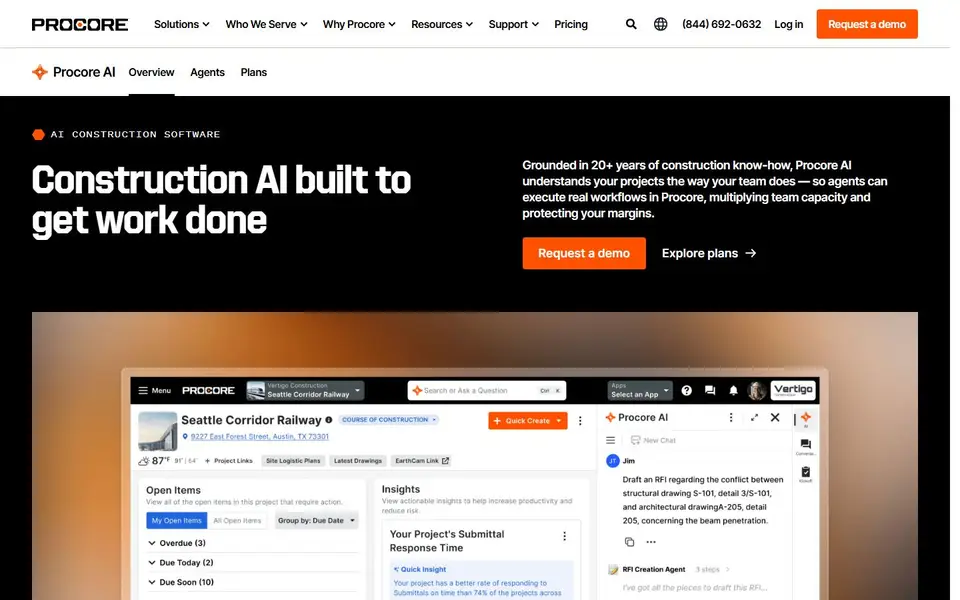
Procore AI is a set of agents inside Procore. Deep Search answers questions across specs, drawings, RFIs and submittals and shows numbered citations back to the source file. Other agents draft RFIs, build daily logs from photos, email, video and voice, check submittals against the specs, and flag conflicts between the contract and the drawings.

This AI helps a person do the job. It finds and drafts, and Procore says the agents never act without sign-off and follow the role permissions you already set. Procore also says your data is never used to train models like ChatGPT, Claude or Gemini. The catch is the bill: Procore charges an annual fee per product based on your annual construction volume, publishes no dollar figures, and its pages don't say whether the agents cost extra on top.

Good
  • Answers cite the exact spec, drawing or RFI
  • Works on project data already in Procore
  • No per-user fees
Watch for
  • No public price; billed on construction volume
  • Pages don't say whether agents cost extra
Procore AI website
02

Autodesk Forma

Autodesk shops already running Build, Docs or Takeoff

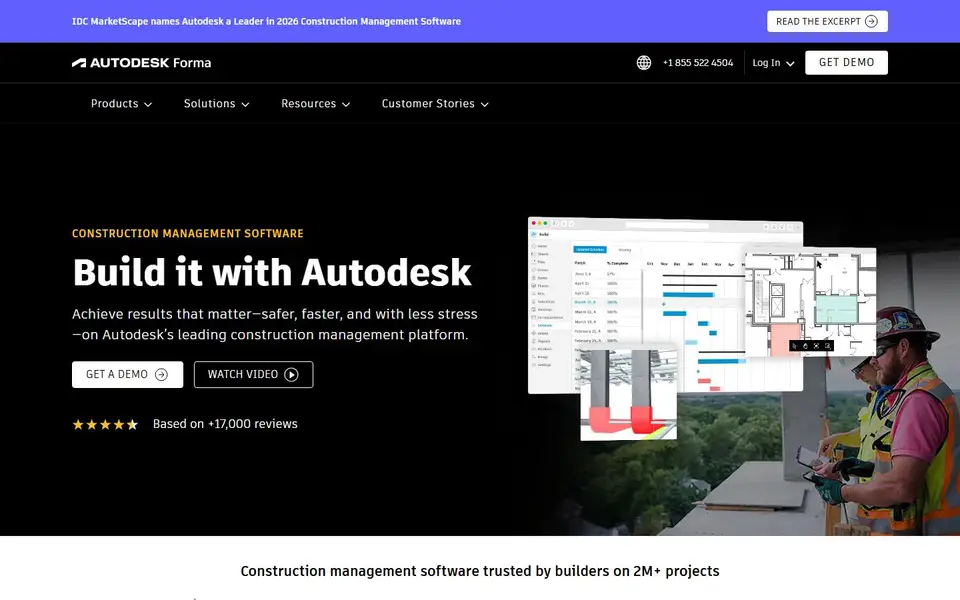
Autodesk Construction Cloud is now Autodesk Forma. From March 24, 2026, Autodesk Build became Forma Build, Autodesk Docs became Forma Data Management and Autodesk Takeoff became Forma Takeoff, and Autodesk says no data migration is required. If your contract or login still says ACC, it's the same product under a new name.

The AI here assists. Autodesk Assistant finds information and writes summaries, Construction IQ scores design, RFI, quality and safety risk so you can see which RFIs are most likely to hit cost and schedule, and project photos get tagged on upload. In Forma Takeoff you trace one symbol and the software counts the matches, while the rest of the takeoff is still yours to set up. Forma Build starts at $117 a month, but the overview page doesn't say whether that's per user or how it's billed, and Autodesk doesn't say whether the AI costs extra.

Good
  • Same product and data after the Forma rename
  • RFI risk scoring points at the costly ones
  • 30-day money-back guarantee
Watch for
  • Starting price doesn't say per user or billing term
  • Takeoff AI counts symbols; it doesn't do the whole takeoff
Autodesk Forma website
03

Togal.AI

Estimators who want areas, lengths and counts measured for them

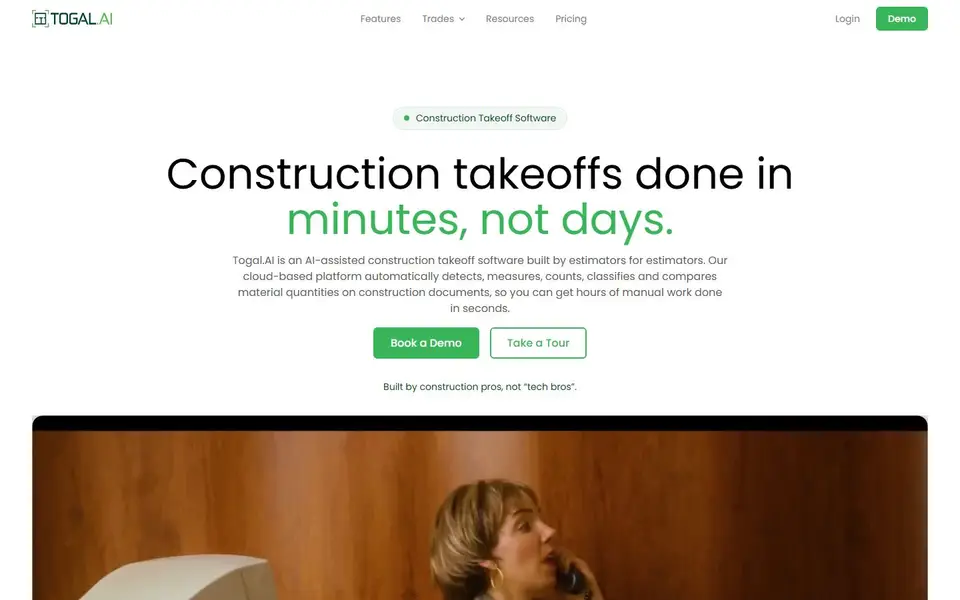
Togal is the plainest case on this list of AI doing the job. Upload a drawing set and it detects and measures areas, lengths and counts on its own, then compares drawing sets and quantifies what changed between revisions. Togal.CHAT answers questions about the plan set, and image and symbol search finds repeated items across sheets. Togal publishes accuracy and speed claims without a test method, so run it on a job you've already bid and compare its quantities with yours.

The Growth plan is $299 per user a month, billed yearly, with unlimited takeoffs and unlimited outside collaborators who don't need a license. Teams of four or more go to a custom Business quote. The pricing page shows no free trial, and the pages don't name integrations with estimating, accounting or PM software. For more takeoff options, including cheaper ones, see the takeoff software guide.

Good
  • Measures areas, lengths and counts without tracing
  • Compares revisions and quantifies the changes
  • Outside collaborators don't need a license
Watch for
  • No free trial on the pricing page
  • No named integrations with estimating software
  • Accuracy claims come without a published test
Togal.AI website
04

ChatGPT

Small subs and remodelers who want drafting help across the office

ChatGPT knows nothing about your project until you paste or upload it. Give it a spec section, a sub's proposal or a long email chain and it will summarize it or draft a scope letter. That's AI helping a person, because you supply the documents and you check what comes back. OpenAI's own help pages say it can sound confident when it's wrong and can make up citations, so don't trust a spec reference you haven't opened. The prompt library saves writing prompts from scratch.

Buy a Business seat for company work, not Plus. OpenAI says it won't train on Business workspace data, while Plus conversations can be used for training unless you opt out. Business Standard is $20 per user a month on an annual plan or $25 billed monthly, with a 2-seat minimum. Claude has a Team plan at the same seat price and a free tier if you want to compare.

Good
  • $20 a seat on the annual Business plan
  • Business plan isn't used for training
  • Works on any document you upload
Watch for
  • Knows nothing about your job unless you upload it
  • Can invent citations, by OpenAI's own account
05

Trunk Tools

GCs buried in spec books, submittals and repeat RFIs

Trunk Tools reads every document and drawing on a project and answers questions by text, with citations. The jobs it does on its own are the tedious ones: it reads a whole spec book and builds the submittal register, reviews submittals against the specs and drafts responses, spots changes in bulletins, and catches RFIs your documents already answer before anyone sends them. On those tasks the AI does the work and your team reviews it. On the RFIs that do need to go out, it drafts and a person sends.

It reads from and writes back to Procore and Autodesk, and connects to SharePoint, Box, Egnyte and Dropbox, so it sits on top of what you already run. Trunk Tools says it doesn't train on your project data. Pricing is one annual figure based on construction volume with every user included, though no dollar amount is published, and it offers a pilot on live jobs.

Good
  • Builds the submittal register from the spec book
  • Writes back to Procore and Autodesk
  • Every user included in the price
Watch for
  • No published price
  • Security certifications not stated on its pages
06

Document Crunch

PMs and execs who want contract risk flagged before they sign

Document Crunch reads contracts and specs and flags risk, and every flag is traced to a clause. It also redlines contracts, builds division checklists from the specs, compares document versions, and drafts submittals, notices and RFIs. Playbooks let you write down your own review standards so the flags follow what your company pushes back on.

The AI assists. It does the first read of a long contract, and the call on what to strike or negotiate stays with your PM, your exec or your lawyer. It's SOC 2 and works on phones and tablets. The gaps are on the buying side: there's no pricing page at all, the home page doesn't list Procore or Autodesk integrations, and it doesn't say whether your contracts are used for model training, so ask before you upload a full set.

Good
  • Every flag traced to a contract clause
  • Playbooks hold your own review standards
  • SOC 2
Watch for
  • No pricing published
  • No data-training policy on the home page
07

OpenSpace

GCs and owner's reps who want a photo record of every walk

OpenSpace maps site captures from a 360 camera, a phone or a drone onto your plans, so anyone can walk the job later from the office. The core product helps the person doing the walk: someone still captures, and the software places and organizes the images. BIM isn't required, capture is unlimited across projects, and it connects to Procore, Autodesk and Revizto.

The AI progress measuring is Track, an add-on to the Core or Enterprise plan. It tracks installed work against P6, MS Project, Asta or Excel schedules, and OpenSpace describes it as AI with humans in the loop, with reports in 24 to 48 hours. Both are priced on annual construction volume with no published prices, an annual subscription can cover a single project, and you can ask for a pilot of Core. The progress tracking guide compares it with the rest of the field.

Good
  • Works without a BIM model
  • Capture with a phone, 360 camera or drone
  • Connects to Procore and Autodesk
Watch for
  • AI progress tracking is a separate add-on
  • No public prices; camera cost not stated
08

Buildots

Large commercial and data center jobs with a BIM model

Buildots compares captures from 360 cameras, drones or laser scans against your BIM model and schedule, then reports what's installed and forecasts delays. That's AI doing the job of measuring progress. Nobody walks the floor with a checklist, and if you'd rather not capture either, Buildots runs a managed capture service. Captures are processed within 24 to 36 hours, and the project types it lists are commercial, data centers, industrial, healthcare, multifamily and mixed-use.

Setup usually takes a few weeks, and it's SOC 2 Type 2 and ISO 27001 certified. In October 2025 Buildots bought Genda for workforce, safety and logistics tracking, and an integrated Buildots Field app is due for general release in Q4 2026, so check what's shipped before you buy for that side. No pricing is published, and its pages don't name Procore or Autodesk integrations.

Good
  • Measures progress against the model and schedule
  • Managed capture if you don't want to walk
  • SOC 2 Type 2 and ISO 27001
Watch for
  • Built around a BIM model
  • No public pricing
  • Setup takes a few weeks
09

ALICE

Schedulers on large jobs testing faster or cheaper sequences

ALICE generates schedules. Import a P6, MS Project or Primavera Cloud schedule, or start from a BIM model, and it simulates many build sequences to find faster or cheaper ones. Targeted Optimization shows where the schedule can be accelerated and by how much, a schedule score tells you what to fix, and a Schedule Insights Agent lets you chat with a loaded schedule. The AI does the scenario work, and your scheduler picks the plan and owns the baseline.

ALICE says customers generally use it on projects of at least $75M construction value, which tells you who it's built for. It's SOC 2 Type II, collaboration includes unlimited users, and pricing is a custom quote after a consultation call, with no free trial stated. If you need a CPM tool to build the schedule in the first place, the scheduling software guide covers those.

Good
  • Generates and compares whole schedule scenarios
  • Imports P6, MS Project and Primavera Cloud
  • Unlimited users
Watch for
  • Aimed at projects of $75M and up
  • No published price or free trial

Side by side

ToolPlan shownList priceAITrial or free planHow it's pricedTraining on your data
Procore AIQuote onlyNot publishedAI assistsNot statedAnnual fee per product, based on Annual Construction Volume (ACV); unlimited users and storageProcore says your data is never used to train models like ChatGPT, Claude or Gemini
Autodesk FormaForma Build$117 per month, not stated1AI assistsFree trial of Forma TakeoffUser, project and account-based pricing; some products list a starting monthly price.Not stated
Togal.AIGrowth$299 per user / month, billed yearly2AI does the jobNot statedPer user per month, billed yearly; custom quote for teams of 4+ users.Not stated
ChatGPTBusiness Standard (annual)$20 per user / month, billed yearly3AI assistsNot statedNot statedBusiness: OpenAI says it won't train on workspace data. Enterprise: opted out by default.
Trunk ToolsQuote onlyNot publishedAI does the jobPilot on live jobs; vendor says value…One price based on construction volume, with unlimited seats and usageTrunk Tools says it does not train on your project data
Document CrunchQuote onlyNot publishedAI assistsNot statedNot publishedNot stated
OpenSpaceQuote onlyNot publishedAI assistsPilot of Core available on requestAnnual subscription priced on annual construction volume and tier, not per user or project.Not stated
BuildotsQuote onlyNot publishedAI does the jobNot statedNot published; pricing comes through a demoNot stated
ALICEQuote onlyNot publishedAI does the jobNot statedCustom quote after a consultation, based on company and project sizeNot stated

How to choose AI construction software

Choose by the job you want off someone’s desk, then check whether the AI does that job or helps a person do it faster. Togal measuring a floor plan, Buildots reading progress off a site capture and ALICE generating schedule options are the AI doing the work, with a person checking it. Procore AI drafting an RFI, Autodesk Assistant summarizing a spec and ChatGPT writing a scope letter are the AI helping someone who still owns the result. Both are useful, but the first kind is where hours come back, and it’s also where a wrong answer costs you, so it needs a check on a job you already know.

After the job, look at where your project data lives. The AI inside your PM platform already sees your drawings, RFIs and submittals, which is why Procore AI and Autodesk Forma come first for firms on those platforms. Trunk Tools takes a different route and reads from Procore, Autodesk, SharePoint, Box, Egnyte and Dropbox, so it can sit on top of a mixed setup. ChatGPT sees only what you upload.

Then look at how each one charges. Togal and ChatGPT price per seat, so the bill tracks headcount. Procore, Trunk Tools and OpenSpace price on annual construction volume, so a bigger year raises the bill even if the team doesn’t change. Buildots, ALICE and Document Crunch publish nothing and quote after a demo.

Which AI tools for construction fit your team?

A small sub or remodeler should start with ChatGPT Business for proposals, change-order notes and summaries, and add Togal only if the estimator spends days measuring plans. Claude is the other general assistant worth a trial, and both work with the prompt library.

An estimating department at a mid-size GC or a larger specialty contractor gets the most from Togal, since measuring is the work it takes over. If the company is on Autodesk, Forma Takeoff’s symbol counting comes with the platform. The takeoff guide covers the rest of that field.

A mid-size GC already on Procore should switch on Procore AI first, then look at Trunk Tools if documents are spread across several systems, and at Document Crunch if contract risk is landing on PMs without legal review. If you’re still choosing the platform itself, start with the construction management software guide.

Large GCs, owner’s reps and data center builders are where progress capture and schedule generation pay off. Buildots fits jobs with a BIM model, OpenSpace fits jobs without one, and ALICE is aimed at projects of $75M and up.

Where the AI does the job, and where it helps

The AI does the core job in Togal (measuring), Trunk Tools (submittal registers and answers from the documents), Buildots (progress against the model), OpenSpace Track (progress against the schedule) and ALICE (schedule scenarios). It helps a person in Procore AI, Autodesk Forma, Document Crunch and ChatGPT, where it drafts, finds, flags and summarizes and someone signs off.

Even the tools that do the job keep a person on the hook. Procore says its agents never act without sign-off, and OpenSpace describes Track as AI with humans in the loop. Togal, Buildots and ALICE publish performance claims without a test method, so treat those as the vendor’s numbers until your own job confirms them.

What to ask before you sign

Ask three things in the demo. First, whether the AI is in the price you were quoted, because Procore and Autodesk don’t say on their pages. Second, whether they train on your drawings and contracts, and get the answer in writing. Third, whether you can run it on a finished project, where you already know the quantities, the RFIs and the schedule, so you can see where it’s wrong. Trunk Tools offers a pilot on live jobs and OpenSpace a pilot of Core, which is the cheapest way to find out.

Questions buyers ask

What are the best AI tools for construction companies?

It depends on the job. Togal for takeoff, Procore AI or Autodesk Forma inside the PM platform, Trunk Tools for searching project documents, Document Crunch for contracts, Buildots or OpenSpace for progress, ALICE for schedule scenarios, and ChatGPT Business for drafting. Most firms should start with one or two that match their biggest time sink.

How is AI used in construction?

The tools on this page measure quantities off drawings, answer questions across specs and RFIs with citations, build submittal registers, flag risky contract clauses, compare site captures against the model and schedule, and generate alternative schedules. General assistants like ChatGPT draft letters and summaries from documents you upload. The output still needs a person to check it before it goes into a bid or out to an owner.

Can ChatGPT do a construction takeoff?

OpenAI doesn't sell ChatGPT as a takeoff tool, and its help pages warn it can give wrong answers while sounding confident. For quantities you'll bid from, use a tool that measures the drawing, like Togal or Forma Takeoff, and use ChatGPT for the scope letter and the proposal.

Do AI construction tools train on my drawings and contracts?

Procore says your data is never used to train models like ChatGPT, Claude or Gemini, and Trunk Tools says it doesn't train on your project data. OpenAI says it won't train on ChatGPT Business data, though Plus conversations can be used unless you opt out, and Claude's Team plan doesn't train on your content by default. Togal, Autodesk, Document Crunch, OpenSpace, Buildots and ALICE don't say on the pages we read, so ask in writing before you upload.

How much does AI construction software cost?

Only a few publish prices. Togal Growth is $299 per user a month billed yearly, ChatGPT Business Standard is $20 per user a month on an annual plan, and Forma Build starts at $117 a month. Procore, Trunk Tools and OpenSpace price on annual construction volume, and Buildots, ALICE and Document Crunch are quote only.

Sources

Each number in the text links here. We read every page on the date shown next to the figure.

  1. autodesk.com/products/forma-build/overview
  2. togal.ai/pricing
  3. help.openai.com/en/articles/8792828-chatgpt-business-overview